
AI メンズ髪型シミュレーション
作例プレビュー
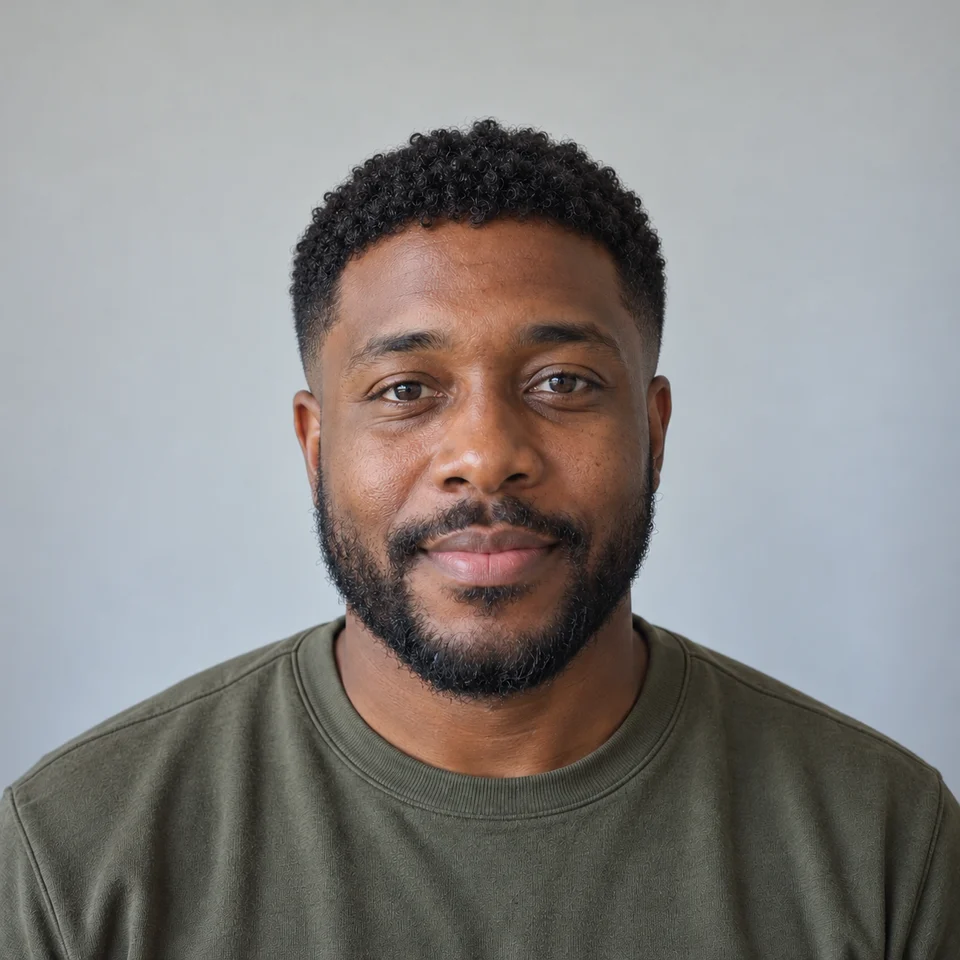
質感のあるショート
AI メンズ髪型シミュレーションについて
AI 髪型ツールは参照写真の髪を変え、カット前に方向性を比べるためのものです。生え際が見え、頭の上に余白がある正面写真を使いましょう。顔の特徴と光をそろえて比較することが大切です。
こんな用途に
- 美容師や理容師との相談準備
- ショートとミディアムの比較
- プロフィール写真の新しい印象づくり
作例
AI による作例
サイドパート
センターパート
バズカット
前髪を上げたスタイル
トップのカール
自然なオールバック
長めのウェーブ
使い方
鮮明な写真をアップロード
顔がはっきり写り、光が均一な成人一人の写真を使ってください。編集する権利のある写真を選びましょう。
スタイルを選ぶ
最初のスタイルは選択済みです。切り替えてもアップロードした写真と選択したモデルは保持されます。
生成して確認
必要なクレジットを確認して生成し、ダウンロード前に細部を確認してください。ログインとアカウントの利用制限が適用されます。
作例に使った英語プロンプト
質感のあるショート
Edit only the hairstyle of the adult man in the reference photo. Preserve the same face, age, expression, skin tone, facial hair, clothing, shoulders, background, camera and lighting. Create a realistic hairstyle preview. Do not alter the face or add text, logos or watermarks. A short textured crop with a low taper on the sides and a natural short fringe.
サイドパート
Edit only the hairstyle of the adult man in the reference photo. Preserve the same face, age, expression, skin tone, facial hair, clothing, shoulders, background, camera and lighting. Create a realistic hairstyle preview. Do not alter the face or add text, logos or watermarks. A neat classic side part with moderately tapered sides and natural volume.
センターパート
Edit only the hairstyle of the adult man in the reference photo. Preserve the same face, age, expression, skin tone, facial hair, clothing, shoulders, background, camera and lighting. Create a realistic hairstyle preview. Do not alter the face or add text, logos or watermarks. A medium-length curtain haircut parted in the middle with soft natural waves.
バズカット
Edit only the hairstyle of the adult man in the reference photo. Preserve the same face, age, expression, skin tone, facial hair, clothing, shoulders, background, camera and lighting. Create a realistic hairstyle preview. Do not alter the face or add text, logos or watermarks. A short even buzz cut with a subtle natural hairline; keep the scalp and face plausible.
前髪を上げたスタイル
Edit only the hairstyle of the adult man in the reference photo. Preserve the same face, age, expression, skin tone, facial hair, clothing, shoulders, background, camera and lighting. Create a realistic hairstyle preview. Do not alter the face or add text, logos or watermarks. A softly textured quiff with volume at the front and short tapered sides.
トップのカール
Edit only the hairstyle of the adult man in the reference photo. Preserve the same face, age, expression, skin tone, facial hair, clothing, shoulders, background, camera and lighting. Create a realistic hairstyle preview. Do not alter the face or add text, logos or watermarks. A natural short curly top with gently tapered sides and a plausible hairline.
自然なオールバック
Edit only the hairstyle of the adult man in the reference photo. Preserve the same face, age, expression, skin tone, facial hair, clothing, shoulders, background, camera and lighting. Create a realistic hairstyle preview. Do not alter the face or add text, logos or watermarks. Medium-length hair gently brushed back with a natural matte texture, no wet shine.
長めのウェーブ
Edit only the hairstyle of the adult man in the reference photo. Preserve the same face, age, expression, skin tone, facial hair, clothing, shoulders, background, camera and lighting. Create a realistic hairstyle preview. Do not alter the face or add text, logos or watermarks. Ear-length loose dark waves with a relaxed side part and realistic hair strands.
よくある質問
この髪型プロンプトは ChatGPT でも使えますか?
英語のオリジナルプロンプトには、目標の髪型と残したい特徴が書かれています。ChatGPT の対応する画像機能などに合わせて調整できますが、入力条件や結果は異なります。このページでは PicUnfold で選択したモデルを使用します。
どこを確認すればよいですか?
髪の成長、髪質、密度、美容室での仕上がりを予測するものではありません。生え際と顔の変化を確認し、結果を保証する画像ではなく相談用の参考にしてください。
最初にモデルを選ぶ必要はありますか?
必要ありません。利用可能なモデルが選択済みです。写真をアップロードして生成できます。モデルはページを移動せず詳細設定で変更でき、ボタンに現在のクレジット数が表示されます。
作例の画像はどこで作られましたか?
独自のプロンプトと内蔵画像生成ツールで作成しています。参照写真の成人も架空の人物です。編集のアイデアを示すもので、お客様の声や PicUnfold API による実測結果ではありません。結果は選択したモデルと入力によって変わります。
無料で試せますか?
メール認証後、1日の配布上限内でお試しクレジットを受け取れます。生成ごとにボタンに表示されたクレジットを使用します。
アップロードした写真はどう扱われますか?
ファイルは非公開で保存されます。生成時に参考画像をアップロードし、処理に使用します。参考ファイルは7日間、生成ファイルは30日間保存されます。残したい画像はダウンロードしてください。処理の詳細はプライバシーポリシーをご覧ください。