
AI hairstyle changer for men
Example preview
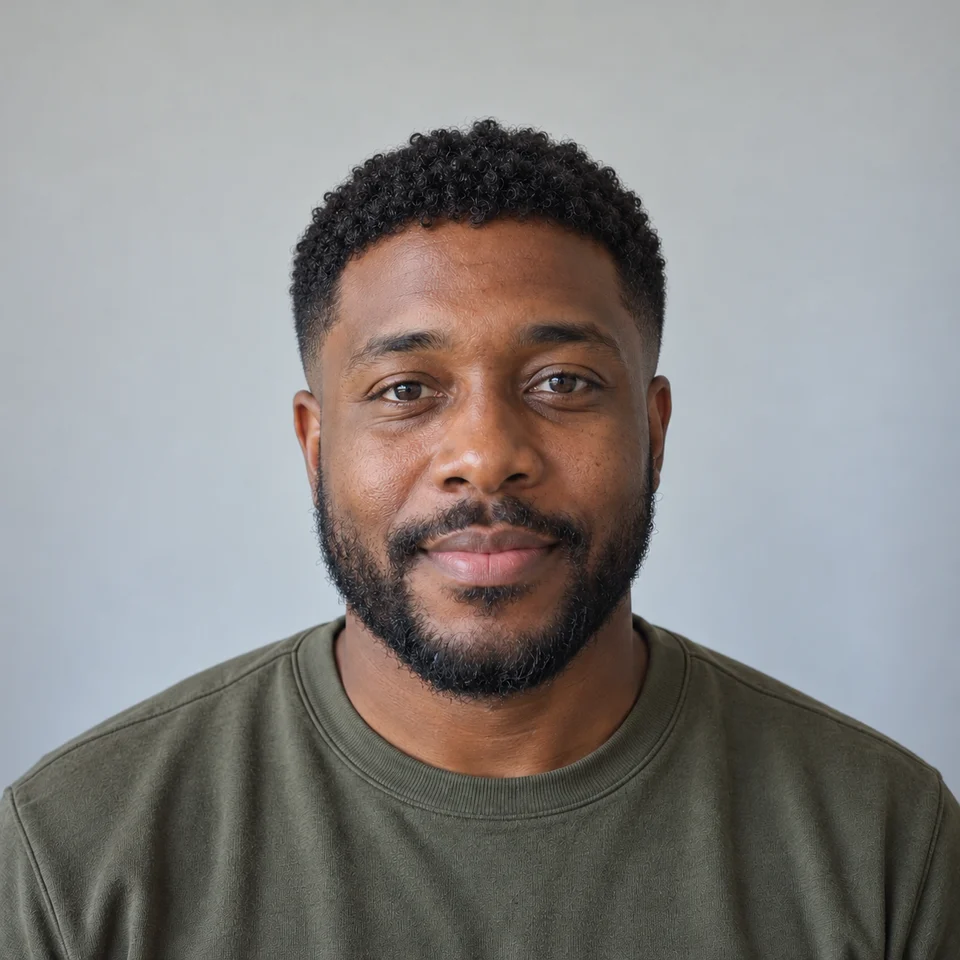
Textured crop
About AI hairstyle changer for men
An AI hairstyle changer edits the hair in a reference portrait so you can compare visual directions before a haircut. Use a front-facing photo with the hairline visible and space above the head. Keep lighting and facial features consistent when comparing styles.
When to use it
- Planning a conversation with your barber
- Comparing short and medium-length styles
- Exploring a new profile-photo look
Example results
AI-generated examples
Side part
Curtain haircut
Buzz cut
Quiff
Curly top
Slicked back
Longer waves
How to use it
Upload a clear photo
Use a single adult subject with a visible face and even light. Use a photo you have permission to edit.
Choose a style
The first style is ready to use. Changing a style preserves your uploaded photo and your chosen model.
Generate and review
Review the displayed credit cost, generate, and check details before downloading. Sign-in and account limits apply.
Original English prompts
Textured crop
Edit only the hairstyle of the adult man in the reference photo. Preserve the same face, age, expression, skin tone, facial hair, clothing, shoulders, background, camera and lighting. Create a realistic hairstyle preview. Do not alter the face or add text, logos or watermarks. A short textured crop with a low taper on the sides and a natural short fringe.
Side part
Edit only the hairstyle of the adult man in the reference photo. Preserve the same face, age, expression, skin tone, facial hair, clothing, shoulders, background, camera and lighting. Create a realistic hairstyle preview. Do not alter the face or add text, logos or watermarks. A neat classic side part with moderately tapered sides and natural volume.
Curtain haircut
Edit only the hairstyle of the adult man in the reference photo. Preserve the same face, age, expression, skin tone, facial hair, clothing, shoulders, background, camera and lighting. Create a realistic hairstyle preview. Do not alter the face or add text, logos or watermarks. A medium-length curtain haircut parted in the middle with soft natural waves.
Buzz cut
Edit only the hairstyle of the adult man in the reference photo. Preserve the same face, age, expression, skin tone, facial hair, clothing, shoulders, background, camera and lighting. Create a realistic hairstyle preview. Do not alter the face or add text, logos or watermarks. A short even buzz cut with a subtle natural hairline; keep the scalp and face plausible.
Quiff
Edit only the hairstyle of the adult man in the reference photo. Preserve the same face, age, expression, skin tone, facial hair, clothing, shoulders, background, camera and lighting. Create a realistic hairstyle preview. Do not alter the face or add text, logos or watermarks. A softly textured quiff with volume at the front and short tapered sides.
Curly top
Edit only the hairstyle of the adult man in the reference photo. Preserve the same face, age, expression, skin tone, facial hair, clothing, shoulders, background, camera and lighting. Create a realistic hairstyle preview. Do not alter the face or add text, logos or watermarks. A natural short curly top with gently tapered sides and a plausible hairline.
Slicked back
Edit only the hairstyle of the adult man in the reference photo. Preserve the same face, age, expression, skin tone, facial hair, clothing, shoulders, background, camera and lighting. Create a realistic hairstyle preview. Do not alter the face or add text, logos or watermarks. Medium-length hair gently brushed back with a natural matte texture, no wet shine.
Longer waves
Edit only the hairstyle of the adult man in the reference photo. Preserve the same face, age, expression, skin tone, facial hair, clothing, shoulders, background, camera and lighting. Create a realistic hairstyle preview. Do not alter the face or add text, logos or watermarks. Ear-length loose dark waves with a relaxed side part and realistic hair strands.
Questions
Which men's hairstyles can I try on my photo?
Choose a textured crop, side part, curtain cut, buzz cut, quiff, curly top, slick back or longer waves. Use a clear, front-facing portrait with your hairline visible. Treat the generated image as a reference to discuss with your barber; it cannot predict your exact haircut or hair growth.
What should I check?
Hair previews do not predict hair growth, texture, density or salon results. Check the hairline and facial details. Use the image as a visual reference rather than a guaranteed haircut outcome.
Do I have to choose a model first?
No. A supported model is preselected. Upload your photo and generate. You can change the model in Advanced settings without leaving this page; the button shows the current credit cost.
Where do the example images come from?
The examples were created with the built-in image generator using original prompts and fictional adult reference portraits. They illustrate editing ideas, not customer testimonials or measured results from the PicUnfold API. Results depend on the selected model and your input.
Can I use this for free?
Verified accounts receive starter credits, subject to the daily allocation. Each generation uses the credits shown on the button.
What happens to my photos?
Your files are private. When you generate, the reference is uploaded for processing. Reference files are kept for 7 days and generated files for 30 days. Download any results you want to keep. See the privacy policy for processing details.